How to Create Trending AI Couple Photos Using Google Gemini AI Tool
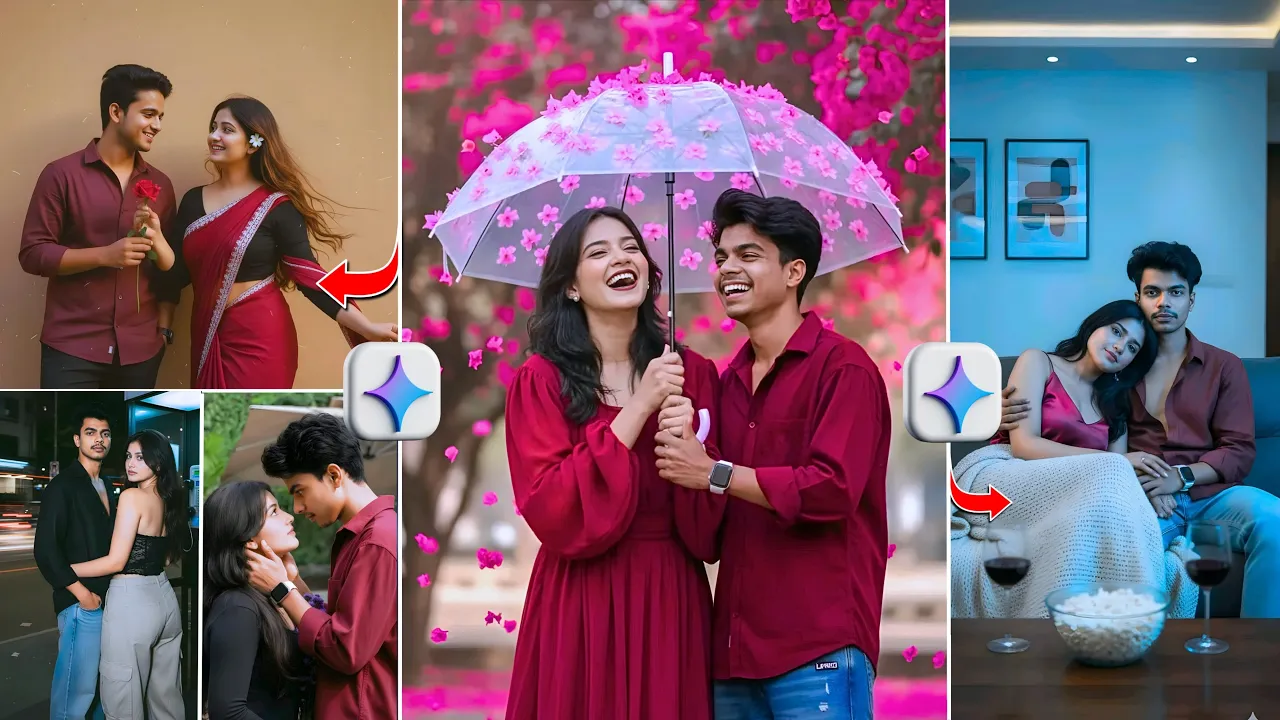
Hey guys! In today’s post, I’ll show you how to create those trending AI couple photos that you’re seeing all over Instagram and other social media platforms. The best part? You can do it with just two selfies and in one click using Google Gemini AI.
All the amazing photos you’ve seen on social media — romantic, cinematic, and aesthetic couple shots — can be recreated easily using this free AI tool. So make sure you read this post carefully till the end; otherwise, you might miss some important steps or photo prompts that make your edits go viral.
Step 1: Open Google Gemini AI
First, open the Chrome browser on your phone or PC. In the search bar, type “Gemini AI” and hit search. The first result that appears will be the official Google Gemini AI page. Click to open it.
Once the page opens, scroll down slightly until you see the Gemini AI interface. Now, sign in using your Google account. If you face an issue while signing in or get a “credit expired” message, simply use another Gmail account to continue.
👉 Visit: https://gemini.google.com
Step 2: Upload Your Selfie Photos
After signing in, look for the “Adjust” or three dots menu (⋮) in the corner. Tap on it and select the “Create” or “Generate” option.
Now you’ll see a “+” (plus) icon. Tap on it to upload your photos. Select the “Photos & Videos” option, which will open your file manager. Choose two selfie photos where your faces are clearly visible. Once selected, the photos will automatically start uploading to Gemini AI.
Step 3: Use the Right AI Prompts
Once your photos are uploaded, you’ll need to add the right AI prompt to generate couple photos. Don’t worry — I’ll provide all the prompts used in my video. You can take screenshots and copy them directly to use.
For example, a sample AI prompt could be:
“Generate a romantic couple photo in cinematic lighting, holding hands, wearing modern outfits, with a blurred background and perfect facial blending.”
You can also search similar prompts on Google or explore trending ones from Pinterest.
Step 4: Generate and Download the AI Couple Photos
After pasting your prompt, click on “Send” or “Generate.” Wait for a few seconds while Gemini AI processes your photos. Soon, you’ll see your own AI couple photo appear on the screen — and trust me, the result will surprise you!
You’ll notice that the faces match 100% with your selfies, yet the background and outfits look totally cinematic and professionally shot. It’s almost like an AI pre-wedding photo!
Once the image finishes processing, you’ll see a Download button in the corner. Tap it to save your photo. Make sure the process is complete before downloading to avoid any incomplete renders.
Step 5: Share and Go Viral on Instagram
After downloading your photos, post them on Instagram, TikTok, or Facebook with trending hashtags like #AICouple, #GeminiAI, #AIPhotoEdit, and #AestheticAI. These hashtags are currently blowing up and can help your content reach thousands of viewers.
I personally created many such photos using Gemini AI, and each one came out with perfect face matching and professional AI enhancement. You can do the same using these simple steps and prompts.
Bonus Tip: Enhance Your AI Photos
For even more polished results, you can use additional AI photo enhancement tools such as:
- PhotoRoom – for background cleanup and lighting fixes
- Remove.bg – for quick background removal
- Fotor AI Enhancer – to make your AI photos look high-definition
Final Thoughts
Creating trending AI couple photos is easier than ever — all you need are two selfies and the right AI prompt. With tools like Google Gemini AI, you can generate viral-quality photos in seconds, no professional camera or editing skills required.
So go ahead, try it out, and share your results online. Who knows — your next AI couple photo might just go viral!
Related reads:
- Google Gemini Official Blog
- Adobe Firefly AI for Creative Edits
- Runway ML – AI Video and Image Generator
Keywords: AI Couple Photos, Google Gemini AI, Trending Instagram Edits, AI Photography, Faceless Content, AI Prompts, Photo Editing, AI Viral Trends